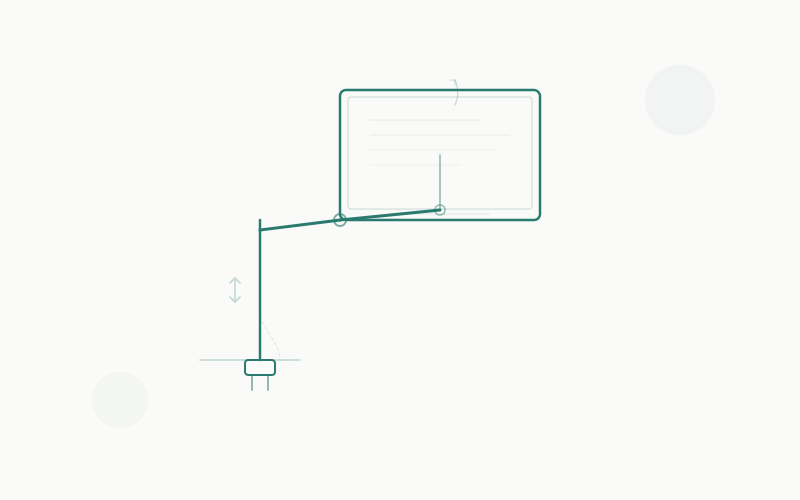
Ultrawide monitors are glorious — 34 inches of panoramic workspace, or 49 inches of pure immersion if you go super-ultrawide. But they come with a problem most people don’t think about until it’s too late: the stock stand is garbage.
Stock stands eat up half your desk, can’t tilt or swivel worth a damn, and leave your beautiful ultrawide sitting at the wrong height. (If desk space is tight, see our best standing desks for small apartments — a monitor arm paired with a compact desk is a space-saving power move.) A proper monitor arm fixes all of that — plus it lets you push your screen back for ergonomic viewing distance and pull it forward when you need to focus.
The catch? Ultrawides are heavy and wide. A flimsy arm that works fine for a 27-inch panel will sag, droop, or outright fail under a 34-inch ultrawide. And a 49-inch super-ultrawide? That’s a different beast entirely — some weigh over 30 pounds and create enormous torque on pivot points.
We tested and compared 7 monitor arms that are actually built for ultrawide duty. Here’s what made the cut.
Quick Comparison Table
| Monitor Arm | Weight Capacity | Max Screen Size | Mount Type | VESA | Price Range |
|---|---|---|---|---|---|
| Ergotron HX | 20–42 lbs | 49" | Clamp / Grommet | 100×100 | ~$260–$330 |
| Ergotron LX | 7–25 lbs | 34" | Clamp / Grommet | 75×75, 100×100 | ~$170–$200 |
| Humanscale M8.1 | 6–28 lbs | 42"+ | Clamp / Bolt-through | 100×100 | ~$300–$400 |
| VIVO Premium Aluminum (STAND-V101G1) | 2.2–33 lbs | 49" | Clamp / Grommet | 75×75, 100×100 | ~$100 |
| Mount-It! MI-4881 | Up to 44 lbs | 49" | Clamp / Grommet | 75×75, 100×100 | ~$90–$120 |
| Secretlab Magnus HD | 18–35 lbs | 57" | Clamp | 100×100 | ~$280–$300 |
| Amazon Basics Premium | 20–30.8 lbs | 34" | Clamp / Grommet | 75×75, 100×100 | ~$110–$140 |
Detailed Reviews
1. Ergotron HX — Best Overall for Ultrawides
The Ergotron HX is the gold standard for heavy, large monitors. Originally built to handle massive displays, it’s the arm most frequently recommended for Samsung Odyssey G9 users and 34-inch ultrawide owners alike.
Key specs:
- Weight capacity: 20–42 lbs (9.1–19.1 kg)
- Screen size: Up to 49 inches (flat or slightly curved)
- VESA: 100×100mm
- Adjustment: Full height, tilt (–5° to +25°), swivel (360°), rotation (portrait/landscape)
- Mounting: Desk clamp and grommet options
- Warranty: 10 years
The HX uses a heavy-duty constant-force spring mechanism instead of a gas spring. This matters — gas springs tend to lose pressure over time, causing sag. The constant-force design means your 30-pound ultrawide stays exactly where you put it, year after year.
For deeply curved super-ultrawides (like the Samsung Odyssey G9 with a 1000R curve), Ergotron offers a special HD Tilt Pivot version (model 45-647) that can handle the extra torque these displays create. If you have a 49-inch curved panel, this is the version you want.
Cable management is clean with integrated routing channels. The arm extends up to 25 inches from the pole and the full range of motion is smooth and precise.
Pros:
- Industry-leading build quality and durability
- Constant-force spring won’t sag over time
- 10-year warranty — the best in the business
- Specific HD pivot version for super-ultrawides
- Effortless, one-handed adjustments even at max weight
Cons:
- Expensive — one of the pricier arms on the market
- Minimum weight of 20 lbs means it won’t work for lighter monitors
- The standard pivot can struggle with very deeply curved panels (get the HD version)
Best for: Anyone with a 34"+ ultrawide or 49" super-ultrawide who wants a “set it and forget it” arm that lasts a decade.
2. Ergotron LX — Best for 34-Inch Ultrawides on a Moderate Budget
The Ergotron LX is the world’s best-selling monitor arm for good reason. It’s the reliable workhorse — lighter duty than the HX, but perfectly capable of handling most 34-inch ultrawides.
Key specs:
- Weight capacity: 7–25 lbs (3.2–11.3 kg)
- Screen size: Up to 34 inches
- VESA: 75×75mm & 100×100mm
- Adjustment: Height (13-inch range), tilt (–5° to +70°), swivel (360°), rotation
- Mounting: Desk clamp and grommet options
- Arm extension: Up to 24 inches
- Warranty: 10 years
If your 34-inch ultrawide weighs 25 lbs or less (check the spec sheet — most do), the LX handles it beautifully. The movement is smooth and fluid. Installation takes about 15 minutes. The 10-year warranty means Ergotron stands behind it.
The newer LX Pro model adds tool-free installation and an updated aesthetic, but the classic LX remains the value champ.
Pros:
- Proven, reliable design used by millions of people worldwide
- Smooth constant-force motion
- 10-year warranty
- Widely available and frequently discounted
- Supports both VESA sizes (75×75 and 100×100)
Cons:
- 25 lb max — too light for super-ultrawides or heavier 34" panels
- Not designed for 49-inch screens
- Height range is slightly less than the HX
Best for: 34-inch ultrawide owners who want Ergotron quality without paying HX prices. The sweet spot for most home office users.
3. Humanscale M8.1 — Best Premium Option for Office Environments
Humanscale is the brand you see in Fortune 500 offices, and the M8.1 is their heavy-hitter (literally). It handles monitors from 6 to 28 lbs with a weight-based counterbalance mechanism that’s different from the spring systems used by most competitors.
Key specs:
- Weight capacity: 6–28 lbs (2.7–12.7 kg)
- Screen size: Up to 42 inches
- VESA: 100×100mm
- Adjustment: Height (10-inch range), tilt, swivel, rotation
- Mounting: Clamp or bolt-through
- Arm reach: Up to 22 inches
- Warranty: 10 years
The M8.1 uses a unique weight-responsive mechanism — you set a dial to your monitor’s weight, and the arm self-adjusts to provide the right amount of resistance. There are no gas springs or mechanical springs to wear out. The result is an incredibly smooth, almost zero-effort adjustment experience.
Design is a major selling point. The M8.1 is sleek, minimal, and looks like it belongs in a modern workspace. There’s also a dual-arm crossbar option if you run two monitors.
Pros:
- Beautifully designed — the best-looking arm on this list
- Weight-responsive mechanism is smooth and maintenance-free
- Lowest total cost of ownership (according to Humanscale) due to easy reconfiguration
- Available in multiple finishes and configurations
- 10-year warranty
Cons:
- Expensive — premium pricing, especially when configured
- 28 lb max — handles most 34" ultrawides but not super-ultrawides
- Reach is slightly shorter than Ergotron arms (22" vs 24–25")
- Less widely available — harder to find discounted
Best for: Home office and corporate users who care about aesthetics and build quality, with a 34" ultrawide that’s under 28 lbs.
4. VIVO Premium Aluminum (STAND-V101G1) — Best Value for Super-Ultrawides
VIVO has built a reputation as the Ergotron alternative for people who don’t want to spend Ergotron money. The STAND-V101G1 is their ultrawide-specific model, and at around $100, it’s a fraction of the HX’s price while handling similar screen sizes.
Key specs:
- Weight capacity: 2.2–33 lbs (1–15 kg)
- Screen size: Up to 49 inches (ultrawide); up to 32 inches (standard)
- VESA: 75×75mm & 100×100mm
- Adjustment: Tilt (–45° to +45°), swivel (180°), rotation (180°)
- Mounting: Desk clamp and grommet options
- Type: Pneumatic gas spring
- Warranty: 3 years
For the price, the V101G1 is hard to beat. The aluminum construction is solid, the pneumatic adjustment is smooth, and 33 lbs covers most ultrawides and many super-ultrawides. Over 2,200 verified reviews on Amazon with strong ratings prove this isn’t just a cheap arm — it’s a genuinely good one.
There’s a trade-off, though. The gas spring mechanism will eventually lose some pressure (likely after 3-5 years of heavy use), and the overall build doesn’t have the precision feel of an Ergotron or Humanscale arm. For the money, that’s perfectly reasonable.
Pros:
- Exceptional value — roughly one-third the price of an Ergotron HX
- 33 lb capacity handles most ultrawides, including some super-ultrawides
- Supports 49-inch screens
- Aluminum construction at a budget-friendly price
- Both VESA sizes supported
Cons:
- Gas spring may lose pressure over time
- Movement isn’t as smooth or precise as Ergotron arms
- 3-year warranty vs. 10-year from premium brands
- Minimum weight is very low — light monitors may not stay in place as well
Best for: Budget-conscious buyers who want ultrawide support without spending $250+. Perfect if your ultrawide is under 33 lbs and you want solid performance at a great price.
5. Mount-It! MI-4881 — Highest Weight Capacity on a Budget
If raw lifting power is your priority, the Mount-It! MI-4881 wins this list outright. At 44 lbs of capacity, it can hold monitors that make the Ergotron HX sweat — and it does it at roughly a third of the price.
Key specs:
- Weight capacity: Up to 44 lbs (20 kg)
- Screen size: 17–49 inches
- VESA: 75×75mm & 100×100mm
- Adjustment: Full tilt, swivel, rotation
- Mounting: Desk clamp and grommet included
- Special feature: Built-in RGB lighting
- Type: Gas spring
The MI-4881 is Mount-It’s heavy-duty offering, specifically designed for ultrawide and super-ultrawide gamers. It’s built around a reinforced gas spring mechanism that handles heavy curved panels without the sagging issues cheaper arms exhibit.
The RGB lighting along the arm and base is a nice touch for gaming setups — it’s not for everyone, but if your battlestation already glows, it fits right in.
Pros:
- 44 lb weight capacity — the highest on this list
- Very competitive pricing for the specs
- Includes both clamp and grommet mount options in the box
- Built-in RGB lighting for gaming setups
- Handles Samsung Odyssey G9 and similar heavy super-ultrawides
Cons:
- Gas spring mechanism — won’t last as long as Ergotron’s constant-force design
- Build quality is functional but not premium
- RGB lighting may feel gimmicky in office settings
- Limited color options
Best for: Gamers with heavy super-ultrawide or curved monitors who want maximum weight capacity without breaking the bank.
6. Secretlab Magnus Monitor Arm (Heavy Duty Edition) — Best for Gaming Desks
Secretlab — yes, the gaming chair company — makes a surprisingly excellent monitor arm. The Heavy Duty Edition is specifically designed for ultrawide and super-ultrawide displays, supporting screens up to 57 inches and 35 lbs.
Key specs:
- Weight capacity: 18–35 lbs (8.2–15.9 kg)
- Screen size: Up to 57 inches
- VESA: 100×100mm
- Adjustment: Full tilt, swivel, height adjustment
- Mounting: Desk clamp (designed for Secretlab MAGNUS desks, but works with standard desks)
- Special feature: Heavy-duty tilt pivot, integrated cable management
The Magnus arm was designed as a companion to Secretlab’s MAGNUS Pro standing desk, but it works on any desk with a standard clamp. The powder-coated aluminum build feels premium, and the heavy-duty tilt pivot handles deeply curved super-ultrawides (including the 57-inch Odyssey G9) without wobble.
The design language matches Secretlab’s ecosystem — clean, dark, modern. If you already have a MAGNUS desk, the arm integrates seamlessly with the built-in cable management channel.
Pros:
- Supports up to 57-inch displays — the widest compatibility on this list
- Heavy-duty tilt pivot handles deeply curved panels
- Premium aluminum build with excellent fit and finish
- Designed with cable management in mind
- Pairs beautifully with Secretlab MAGNUS desks
Cons:
- Minimum weight of 18 lbs — won’t work for lighter monitors
- Primarily sold through Secretlab’s own website — limited retail availability
- No grommet mount option
- Higher price point for what is essentially a single-arm mount
Best for: Gamers and content creators with large ultrawide monitors (especially those with a Secretlab desk setup).
7. Amazon Basics Premium Single Monitor Arm — Budget Ergotron Alternative
The Amazon Basics Premium monitor arm is widely believed to be manufactured by the same factory that makes Ergotron’s LX (or at least uses a very similar design). At a lower price point, it offers surprisingly similar performance for lighter ultrawides.
Key specs:
- Weight capacity: 20–30.8 lbs (9.1–14 kg)
- Screen size: Up to 34 inches
- VESA: 75×75mm & 100×100mm
- Adjustment: Full tilt, swivel, rotation, height
- Mounting: Desk clamp and grommet
- Type: Constant-force spring (Lift Engine)
The Amazon Basics arm uses a “Lift Engine” mechanism that behaves very similarly to Ergotron’s constant-force spring. The adjustment feel is smooth, the construction is solid steel, and installation is straightforward. If you’ve used an Ergotron LX, you’ll feel right at home.
The biggest limitation is the narrower weight window — 20 to 30.8 lbs — which means your monitor needs to be at least 20 lbs for the arm to hold position correctly. Most 34-inch ultrawides fall in the 20-27 lb range, so it typically works out.
Pros:
- Similar performance to Ergotron LX at a lower price
- Constant-force spring — no gas spring degradation
- Clean, professional design
- Both clamp and grommet mounting included
Cons:
- Minimum 20 lb weight — won’t work for lighter monitors
- 30.8 lb max limits super-ultrawide compatibility
- Amazon Basics warranty and support is hit or miss
- Not suitable for 49-inch panels
Best for: 34-inch ultrawide owners who want Ergotron-like performance at an Amazon Basics price.
Buyer’s Guide: How to Choose a Monitor Arm for Your Ultrawide
Step 1: Weigh Your Monitor
This is non-negotiable. Before you buy anything, check your monitor’s spec sheet for its weight without the stand. Every arm has a minimum and maximum weight rating, and both matter:
- Too heavy: The arm sags and can’t hold position.
- Too light: The arm pushes the monitor up and it won’t stay down.
Step 2: Check Your VESA Pattern
VESA is the standardized bolt pattern on the back of your monitor. Most ultrawides use either 75×75mm or 100×100mm VESA mounting. Some very large or very cheap monitors don’t have VESA mounting at all — check before you buy.
A few high-end arms also support 200×200mm VESA for extra-large displays, but most ultrawide owners won’t need this.
Step 3: Desk Clamp vs. Grommet Mount
- Desk clamp: Clamps onto the edge of your desk. Easiest to install, easiest to move. Works on desks up to about 2.5 inches thick.
- Grommet mount: Bolts through a hole in your desk. More stable, harder to reposition. Requires drilling a hole if you don’t already have one.
Most arms include both options. If your desk has a cable management hole, try the grommet — it’s more secure for heavy ultrawides.
Step 4: Gas Spring vs. Constant-Force Spring
- Gas spring (pneumatic): Uses compressed gas for height adjustment. Smooth and affordable, but gas can leak over time, causing the arm to sag after 3-5 years.
- Constant-force spring (mechanical): Uses a calibrated metal spring. More expensive, but maintains consistent force for a decade or more. Ergotron and Amazon Basics use this design.
For heavy ultrawides that you want to “set and forget,” constant-force springs are worth the premium.
Step 5: Consider Curved Panel Compatibility
Deeply curved monitors (1000R, 1800R) create asymmetric torque on tilt pivots. Standard tilt mechanisms can struggle to hold a 49-inch curved panel level — the weight distribution is different from a flat screen.
If you have a curved ultrawide, look for arms with a heavy-duty tilt pivot specifically designed for curved displays. The Ergotron HX (HD version), Mount-It! MI-4881, and Secretlab Magnus HD all handle curves well.
Step 6: Desk Thickness and Material
Make sure your desk can actually support the arm and monitor combination. A heavy ultrawide on a monitor arm creates concentrated force at the clamp point. Thin particleboard desks can crack or dent. If you’re shopping for a new desk, both the Uplift V2 and FlexiSpot E7 handle monitor arms well — see our Uplift V2 vs FlexiSpot E7 comparison.
If your desk is less than 1 inch thick or made of thin laminate, consider adding a reinforcement plate between the clamp and desk surface. Some arms include these; for others, you can buy them separately for $10-15.
FAQ
Can I use a regular monitor arm for an ultrawide?
It depends on the weight. A 34-inch ultrawide that weighs 15 lbs can work on a standard arm rated for that weight. But most ultrawide-specific arms are engineered for the wider leverage and heavier loads these monitors create. Using a standard arm at its maximum weight rating with an ultrawide is asking for sag.
Do I need a special arm for a 49-inch super-ultrawide?
Yes. Super-ultrawides like the Samsung Odyssey G9 weigh 25-33 lbs and create significant torque due to their width and curve. Look for arms with at least 35 lbs of capacity and, ideally, a heavy-duty tilt pivot. The Ergotron HX (HD pivot), VIVO V101G1, and Mount-It! MI-4881 are all good options.
Will a monitor arm damage my desk?
Any clamp-style mount creates pressure on the desk edge. Most desks handle this fine, but thin or cheap desktops can dent or crack. Use the protective pads included with the arm, and consider adding a reinforcement plate for heavy monitors on thin desks.
How do I set up cable management with a monitor arm?
A good ergonomic chair matters just as much as your monitor position — check our best ergonomic chairs for 2026 if you haven’t upgraded your seating yet.
Most quality arms have built-in cable channels or clips that route cables along the arm. The key is to leave enough cable slack for the arm’s full range of motion — too tight and you’ll pull cables when adjusting, too loose and they’ll dangle.
Can I mount two ultrawides on the same arm?
Not with a single arm. You’d need either two separate arms or a dedicated dual-arm setup. Keep in mind that dual 34-inch ultrawides require serious weight capacity — budget 40-55 lbs total. The Ergotron LX Dual or dedicated heavy-duty dual mounts are your best bet.
How long do monitor arms last?
Constant-force spring arms (Ergotron, Amazon Basics Premium) last 10+ years with no degradation. Gas spring arms (VIVO, Mount-It!) typically last 3-7 years before the gas starts to lose pressure and the arm begins to sag slightly. For a heavy ultrawide, we lean toward constant-force designs for longevity.
Is the Ergotron HX worth the price?
If you have a heavy ultrawide or super-ultrawide and plan to use it for years, absolutely. The 10-year warranty, constant-force mechanism, and rock-solid build quality justify the premium. If you’re running a lighter 34-inch panel, the LX or Amazon Basics arm gives you 90% of the experience at 60% of the cost.
The Bottom Line
For most people with a 34-inch ultrawide, the Ergotron LX (~$180) is the smart buy — proven, reliable, and backed by a 10-year warranty. If you want to save some cash and your monitor weighs at least 20 lbs, the Amazon Basics Premium arm delivers similar performance for less.
Running a 49-inch super-ultrawide or heavy curved panel? The Ergotron HX ($300) is the safe bet. It’s expensive, but it’s the arm you buy once and never think about again. If you want similar capacity at a fraction of the price, the VIVO V101G1 ($100) and Mount-It! MI-4881 (~$100) are both excellent budget alternatives — just know the gas springs won’t last forever.
And if your setup is all about aesthetics and gaming, the Secretlab Magnus HD and Humanscale M8.1 each bring something unique to the table — just at a premium price.
Your ultrawide deserves better than a stock stand. Give it an arm that matches its ambition.
Now that your monitor is properly mounted, make sure the rest of your setup is dialed in — our ergonomic desk setup checklist covers screen height, distance, and 13 other things to fix today. And if you’re building a full workspace, our guide on how to set up an ergonomic home office ties it all together.