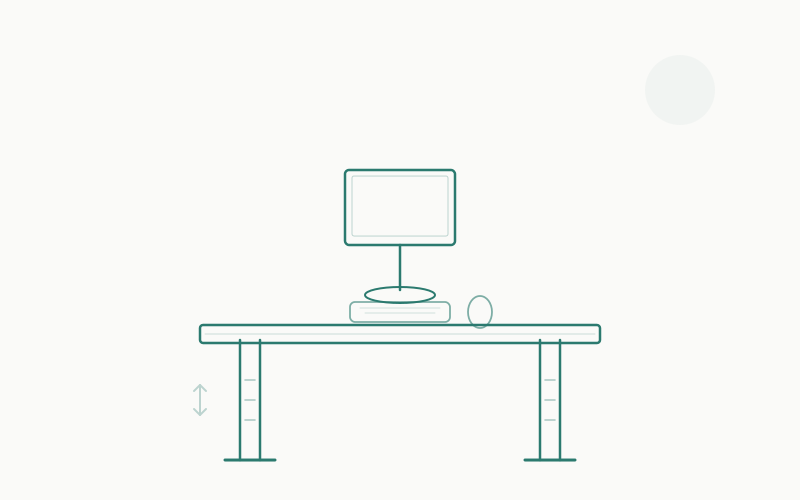
“Sitting is the new smoking.”
You’ve heard it. Your coworker has said it. Standing desk companies have built entire marketing empires on it. And it’s… mostly wrong. Or at least, dramatically oversimplified to the point of being misleading.
The truth about standing desks vs. sitting desks is more nuanced, more interesting, and more practical than the binary debate suggests. After spending weeks reading the actual research — not blog posts about the research, not standing desk company whitepapers, but the published studies themselves — here’s what we found.
Spoiler: the answer isn’t “standing good, sitting bad.” The answer is movement, variety, and understanding what your body actually needs during an 8-hour workday.
The Health Claims: What Studies Actually Say
Let’s start with what the research tells us, because there’s a lot of bad information floating around.
Does standing burn significantly more calories?
The claim: Standing desks burn hundreds of extra calories per day, helping with weight management.
What the research says: A 2016 meta-analysis published in the Journal of Physical Activity and Health found that standing burns approximately 0.15 calories per minute more than sitting. Over an hour, that’s 9 extra calories. Over a full 8-hour workday (if you stood the entire time, which you shouldn’t), that’s 72 extra calories — the equivalent of a single apple, or about one-third of a candy bar.
A 2018 study in the European Journal of Preventive Cardiology arrived at similar numbers, concluding that a 143-pound person standing for 6 hours instead of sitting would burn an additional 54 calories — roughly the energy content of a small banana.
The verdict: Standing desks are not a meaningful weight loss tool. The calorie difference is negligible. If you’re buying a standing desk for weight management, save your money and take a 15-minute walk instead (which burns roughly 60–80 calories and provides actual cardiovascular benefit).
Does standing reduce back pain?
The claim: Standing desks eliminate back pain caused by sitting.
What the research says: This one is more nuanced, and the answer depends on what kind of back pain you have.
A widely cited 2011 study by the CDC (“Take-a-Stand Project”) found that participants using sit-stand desks reported a 54% reduction in upper back and neck pain after 4 weeks. However, this study has significant limitations: it was small (24 participants), short-term, and didn’t have a true control group (participants knew they were using standing desks, creating a strong placebo effect).
A more rigorous 2018 Cochrane systematic review — the gold standard of evidence synthesis — examined all available studies on sit-stand desks and concluded: “At present, there is low-quality evidence that sit-stand desks may reduce sitting time at work… There is no evidence of an effect on… musculoskeletal symptoms.”
However, a 2019 study in BMJ found that sit-stand desk users who alternated between sitting and standing throughout the day reported less lower back fatigue and less musculoskeletal discomfort compared to sitting-only workers.
The verdict: Standing all day is not better than sitting all day for back pain — and may actually cause different back pain (lower back compression, leg fatigue, foot problems). The benefit comes from alternating positions, which reduces the sustained load on any single set of muscles and joints. If you’re dealing with chronic sitting-related back pain, our guide to reducing back pain from sitting covers the full picture.
Does standing improve productivity?
The claim: Standing desks make you more productive, focused, and energized.
What the research says: A 2016 study published in IIE Transactions on Occupational Ergonomics and Human Factors tracked call center employees over 6 months and found that those using sit-stand desks were 46% more productive than seated workers. This stat gets quoted everywhere — but the study measured “call productivity” (calls per hour in a call center), which may not translate to knowledge work.
A 2017 study in the International Journal of Environmental Research and Public Health found no significant difference in cognitive performance (attention, memory, executive function) between sitting and standing conditions.
A more relevant 2018 study from Loughborough University found that standing for extended periods (90+ minutes continuously) actually decreased executive function and reaction time compared to sitting, likely due to discomfort and fatigue drawing cognitive resources away from the task.
The verdict: The productivity claims are weak. Standing doesn’t make you smarter or more focused. What does help productivity is taking regular breaks from any static posture — the movement itself (standing up, stretching, walking) provides a mental reset that sustained standing does not.
Does sitting increase mortality?
The claim: Prolonged sitting increases your risk of heart disease, diabetes, and premature death.
What the research says: This is where the “sitting is the new smoking” claim originates, and there is genuine evidence here — but it’s about total sedentary time, not specifically desk sitting.
A landmark 2012 meta-analysis in Diabetologia found that the highest levels of sedentary time were associated with a 112% increase in diabetes risk, 147% increase in cardiovascular events, and 49% increase in all-cause mortality compared to the lowest levels.
However, a critical 2015 study in the International Journal of Epidemiology that followed over a million people found that sitting at work was not associated with increased mortality risk after adjusting for overall physical activity. In other words, if you sit at a desk all day but exercise regularly, your mortality risk isn’t significantly elevated.
The verdict: The danger isn’t sitting at your desk — it’s being sedentary overall. If you sit for 8 hours at work but walk, exercise, or move for 30+ minutes daily, the research suggests you’re fine. The “sitting kills” narrative is about people who sit all day and don’t move during the rest of their day.
The Real Answer: Alternating Is Key
After reviewing the evidence, the consensus from ergonomics researchers and occupational health experts is clear: the best position is the next position.
Neither sustained sitting nor sustained standing is optimal. The human body is designed for movement and variety. The ideal work posture protocol involves:
- Sitting for 20–30 minutes in a properly adjusted chair with good lumbar support
- Standing for 10–15 minutes to shift load from your seated muscles to your standing muscles
- Moving for 2–5 minutes every hour — walking, stretching, or just shifting your weight
This alternating pattern:
- Reduces the sustained muscular load that causes fatigue and pain in both sitting and standing
- Maintains blood circulation better than either static posture alone
- Provides micro-breaks that improve focus and reduce mental fatigue
- Addresses the legitimate cardiovascular concern about prolonged static postures
The practical upshot? A sit-stand desk is the best option if your budget allows it. A good sitting desk with regular movement breaks is a close second. A standing-only desk is the worst of the three options because it removes the ability to sit — and you will want to sit.
Who Should Get a Standing Desk (Sit-Stand)
A sit-stand desk makes sense if:
- You experience lower back stiffness from prolonged sitting and want the option to stand and shift positions throughout the day
- You’re a fidgeter — if you naturally want to move, shift, and change positions, a sit-stand desk accommodates that tendency rather than fighting it
- You’re willing to actually use the standing function — research shows many sit-stand desk owners stop raising them after the first few weeks. If you’re disciplined about alternating, you’ll benefit. If you know you’ll just leave it down, save the money
- You work long hours (8+) — The longer your workday, the more valuable position variety becomes
- You have the budget — A good sit-stand desk costs $400–$800, compared to $100–$300 for a good sitting desk
If you’re interested in a sit-stand desk but have limited space, check our roundup of the best standing desks for small apartments.
Who Should Get a Sitting Desk
A traditional sitting desk makes sense if:
- Your budget is tight — You can get a great sitting desk for $150–$300, compared to $400–$800 for a quality sit-stand desk. Put the savings toward a good ergonomic chair, which matters more
- You’re disciplined about movement breaks — If you set timers and actually get up every 30–60 minutes to walk and stretch, you get most of the benefit of a sit-stand desk without the cost
- You have a physically active lifestyle — If you exercise regularly, the marginal health benefit of standing at your desk is minimal
- You prefer stability — Sit-stand desks, especially at standing height, can wobble during typing. A fixed desk is inherently more stable
- You do precision work — Tasks that require fine motor control (drawing, detailed design work, handwriting) are easier at a stable sitting desk
The Standing Desk Anti-Fatigue Mat Factor
If you do get a sit-stand desk, you’ll need an anti-fatigue mat for the standing portions. Standing on a hard floor for more than 15–20 minutes causes foot pain, leg fatigue, and shifts your body into postures that create new problems.
A good standing desk mat costs $40–$80 and makes a dramatic difference in standing comfort. Check our picks for the best standing desk mats — it’s a mandatory accessory, not an optional one.
Best Sitting Desks: Our Recommendations
If you’ve decided a traditional desk is the right call, here are our top picks:
IKEA BEKANT — Best Value Sitting Desk
The BEKANT is the desk that furnishes half the home offices in the world, and for good reason. It’s a 63" × 31" surface on sturdy steel legs with cable management net included. The surface is durable melamine, available in white, black-brown, or oak veneer. At its price point, nothing else gives you this much desk space with this build quality. The only limitation is fixed height (29"), which works for the vast majority of seated users.
UPLIFT Standing Desk (Fixed Height Version) — Best Premium Sitting Desk
UPLIFT is known for their sit-stand desks, but their fixed-height frames use the same high-quality materials — the same desktop surfaces, the same grommets, the same cable management options. You get the premium quality without paying for the electric motors you don’t need. Available in numerous desktop materials including bamboo, rubberwood, and laminate. Excellent build quality and a desk you’ll use for a decade.
Flexispot EN1 — Best Budget Sitting Desk
Flexispot’s fixed-height desk is a no-frills workhorse. The steel frame is rock solid, the desktop is a thick laminate in your choice of colors, and the whole thing assembles in 20 minutes. At under $200 for a 55" desktop, it’s the best ratio of quality to price in the sitting desk category. It doesn’t have the cable management niceties of the BEKANT or the premium materials of the UPLIFT, but it does its job quietly and reliably.
Best Sit-Stand Desks: Our Recommendations
If alternating between sitting and standing is the move (and the evidence suggests it is), here are the sit-stand desks we recommend:
UPLIFT V2 — Best Overall Sit-Stand Desk
The UPLIFT V2 is the sit-stand desk we recommend most often. It has a height range of 25.3" to 50.9" (accommodating users from 5'1" to 6'7"), a lifting capacity of 355 lbs, dual motors for smooth and quiet operation, and a rock-solid stability that many standing desks lack — especially at full height. The controller has four memory presets, so you can program your ideal sitting and standing heights and switch with one button press.
The desktop options range from budget laminate ($599) to premium solid wood ($900+), and the customization options (grommets, cable trays, keyboard trays, casters) let you build exactly the desk you need. UPLIFT also offers a 15-year warranty, which is the best in the industry.
If you’re comparing the UPLIFT V2 against its closest competitor, check our UPLIFT V2 vs Flexispot E7 comparison for a detailed breakdown.
Flexispot E7 — Best Value Sit-Stand Desk
The Flexispot E7 delivers about 90% of the UPLIFT V2’s performance at 70% of the price. The dual motors are smooth and quiet, the height range (22.8" to 48.4") covers most users, and the 355 lb lifting capacity matches the UPLIFT. Where it falls slightly behind: the stability at maximum height isn’t quite as solid as the UPLIFT (noticeable only with vigorous typing), the desktop material options are more limited, and the warranty is 10 years versus UPLIFT’s 15.
But the price difference is meaningful — you’re saving $150–$250 for a standing desk that, for most users, is functionally identical. If budget matters, the E7 is excellent.
Fully Jarvis — Best Mid-Range Sit-Stand Desk
The Jarvis occupies the sweet spot between the UPLIFT’s premium quality and the Flexispot’s value pricing. It has a smooth, quiet lift mechanism, good stability, and attractive desktop options including bamboo (which looks fantastic). The height range of 25.5" to 51.1" is generous, and the three memory presets handle most workflows. The Jarvis is particularly popular among people who care about desk aesthetics — the frame design is cleaner and more minimal than both the UPLIFT and Flexispot.
IKEA BEKANT Sit-Stand — Best for the IKEA Ecosystem
If you’re already in the IKEA ecosystem (ALEX drawers, KALLAX shelves, SKÅDIS pegboard), the BEKANT sit-stand version integrates seamlessly. The lift mechanism is basic — no memory presets, just up and down buttons — but it works reliably. The 63" × 31" surface matches the fixed-height BEKANT, and the price is significantly lower than UPLIFT or Fully Jarvis. The trade-off is a lower height range (22" to 48"), less lifting power (154 lbs), and no programmable presets.
Cost Comparison: Sitting vs. Standing Setup
Here’s what a complete ergonomic setup costs for each approach:
Sitting Desk Setup
| Item | Budget | Mid-Range | Premium |
|---|---|---|---|
| Desk | $150 (Flexispot EN1) | $300 (BEKANT) | $450 (UPLIFT fixed) |
| Chair | $250 (HON Ignition) | $500 (Steelcase Leap) | $1,200 (Herman Miller Aeron) |
| Monitor | $200 (BenQ GW2780) | $500 (Dell U2723QE) | $500 (Dell U2723QE) |
| Total | $600 | $1,300 | $2,150 |
Sit-Stand Desk Setup
| Item | Budget | Mid-Range | Premium |
|---|---|---|---|
| Desk | $400 (Flexispot E7) | $600 (Fully Jarvis) | $800 (UPLIFT V2) |
| Chair | $250 (HON Ignition) | $500 (Steelcase Leap) | $1,200 (Herman Miller Aeron) |
| Anti-fatigue mat | $40 | $60 | $80 |
| Monitor | $200 (BenQ GW2780) | $500 (Dell U2723QE) | $500 (Dell U2723QE) |
| Total | $890 | $1,660 | $2,580 |
The sit-stand premium is roughly $250–$430 over a comparable sitting setup. Whether that’s worth it depends on your budget and how likely you are to actually use the standing feature.
Common Standing Desk Mistakes
If you’re going the sit-stand route, avoid these common pitfalls:
1. Standing too much, too soon
Enthusiasm leads to “I’ll stand for 4 hours today!” on day one. Your feet, legs, and lower back will punish you for it. Start with 15-minute standing intervals every hour and gradually increase over 2–4 weeks. Your body needs time to adapt.
2. Standing in bad posture
Just like sitting, standing has a correct and incorrect posture. Common standing mistakes: locking your knees (shifts load to the lower back), leaning on one hip (creates asymmetric spinal load), and placing the monitor too high (now you’re looking up, which strains your neck in the opposite direction).
Proper standing posture: weight evenly distributed, slight bend in the knees, shoulders relaxed and back, monitor at eye level, elbows at 90 degrees on the keyboard.
3. Skipping the anti-fatigue mat
Standing on a hard surface for any length of time causes foot pain, leg fatigue, and leads to shifting and fidgeting that actually reduces productivity. An anti-fatigue mat is not optional — it’s mandatory.
4. Forgetting to adjust the monitor height
When you switch from sitting to standing, your eye level changes by 10–16 inches. If your monitor stays at the sitting height, you’re now looking down at it — defeating the purpose. Use a monitor arm that allows easy height adjustment, or set memory presets for your monitor arm height to match your desk presets.
5. Ignoring cable management
A desk that moves up and down puts stress on cables. Every cable connected to your desk — monitor, power, peripherals — needs enough slack to accommodate the full height range without pulling taut. Use cable chains, spiral wraps, or adhesive clips along the desk leg to manage this. It’s a boring task, but ignoring it leads to yanked cables and damaged ports.
The Science-Based Verdict
Here’s what the research actually supports:
| Claim | Evidence Level | Reality |
|---|---|---|
| Standing burns lots of calories | ❌ Weak | ~9 extra calories/hour. Negligible. |
| Standing eliminates back pain | ⚠️ Mixed | Alternating helps. Standing-only can cause different pain. |
| Standing improves productivity | ⚠️ Mixed | Movement breaks help. Sustained standing may decrease focus. |
| Sitting increases mortality | ⚠️ Context-dependent | Total sedentary time matters. Desk sitting + exercise = fine. |
| Alternating positions is best | ✅ Strong | Consistent evidence across multiple studies. |
| Movement breaks improve focus | ✅ Strong | Even 2-minute breaks every 30 min show measurable benefit. |
The honest answer: If you can afford a sit-stand desk and will actually use it, get one. It’s the most flexible option and aligns with the best available evidence. If you can’t afford one, a good sitting desk with disciplined movement breaks gets you 80% of the benefit at half the cost. A standing-only desk is the worst option of the three.
Making Either Setup Work: Practical Tips
Whichever type of desk you choose, these habits maximize the health and productivity benefits:
For sitting desk users:
- Set a timer for every 30 minutes. Stand up, stretch, walk for 2 minutes. Apps like Stand Up! or Time Out can automate this
- Invest in a great chair. If you’re sitting all day, your chair matters more than your desk. A proper ergonomic chair with adjustable lumbar support, seat depth, and armrests is non-negotiable
- Keep your feet flat on the floor (or on a footrest). Dangling legs restrict circulation and contribute to fatigue
- Position your monitor correctly. Top of screen at eye level, 20–26 inches from your face. This applies regardless of standing or sitting
- Exercise outside of work. The research is clear: regular physical activity counteracts the risks of sedentary desk work
For sit-stand desk users:
- Use the 20-8-2 rule: 20 minutes sitting, 8 minutes standing, 2 minutes moving. Repeat
- Program your memory presets. The easier it is to switch, the more you’ll do it. Set your exact sitting and standing heights on day one
- Get the anti-fatigue mat before the desk arrives. Seriously. You’ll stand for 5 minutes on a hard floor and never do it again
- Wear supportive shoes or go barefoot on the mat. Standing in dress shoes or flip-flops negates much of the comfort benefit
- Lower the desk during focused deep work. Many users find that sitting is better for sustained concentration, while standing works well for calls, emails, and less cognitively demanding tasks
FAQ
Are standing desks worth the money?
If you’ll actually alternate between sitting and standing, yes — a sit-stand desk is a worthwhile investment for long-term comfort and health. If you’re buying one because “sitting is bad” but won’t change your habits, save the money and invest in a better chair instead.
How long should you stand at a standing desk?
Research suggests standing for 10–15 minutes per every 30–45 minutes of sitting. Don’t stand for more than 30 minutes at a stretch without moving or sitting down. The goal is variety, not endurance.
Can a standing desk help with weight loss?
Not meaningfully. The calorie difference between standing and sitting is approximately 9 calories per hour — about the energy content of a single almond. For weight management, regular exercise and dietary changes are dramatically more effective.
Do standing desks cause varicose veins?
Prolonged static standing (hours without movement) can contribute to venous pooling and, potentially, varicose veins over very long periods. This is why alternating positions is important, and why an anti-fatigue mat (which encourages subtle foot movements) is essential. The intermittent standing recommended for sit-stand desks does not pose this risk.
What about treadmill desks?
Treadmill desks (or under-desk treadmills) address the movement component directly by allowing you to walk slowly (1–2 mph) while working. The research on treadmill desks shows clear benefits for metabolic health, but mixed results for cognitive performance — typing accuracy and speed typically decrease during walking. They’re worth considering if you have the space and budget, but they’re not a replacement for a properly set up sitting or sit-stand desk.
Should I get rid of my office chair if I get a standing desk?
Absolutely not. A sit-stand desk is meant to complement your chair, not replace it. You’ll still sit for the majority of your workday — just not all of it. Keep your ergonomic chair; it’s still the most important piece of furniture in your office.
What’s the best standing desk for a small apartment?
Space-constrained setups need desks with smaller footprints and stable frames at narrower widths. Check our dedicated guide to the best standing desks for small apartments for recommendations.
Bottom Line
The standing desk vs. sitting desk debate is a false dichotomy. The research consistently shows that variety of posture and regular movement matter more than which specific posture you maintain. A sit-stand desk is the most practical way to achieve that variety, but a sitting desk with disciplined movement habits is a perfectly valid — and more affordable — alternative.
Don’t buy into the “sitting is the new smoking” hype. Sitting at a desk for 8 hours isn’t going to kill you, especially if you exercise regularly. But alternating positions throughout the day will make you more comfortable, reduce musculoskeletal complaints, and probably make your workday feel less monotonous.
The best desk is the one that supports how you actually work — not the one that marketing says you should buy.
We test and research every product recommendation. When you buy through our affiliate links, we may earn a small commission at no extra cost to you — this helps us keep testing gear and publishing free guides. All opinions are our own, and we never recommend products we wouldn’t use ourselves.