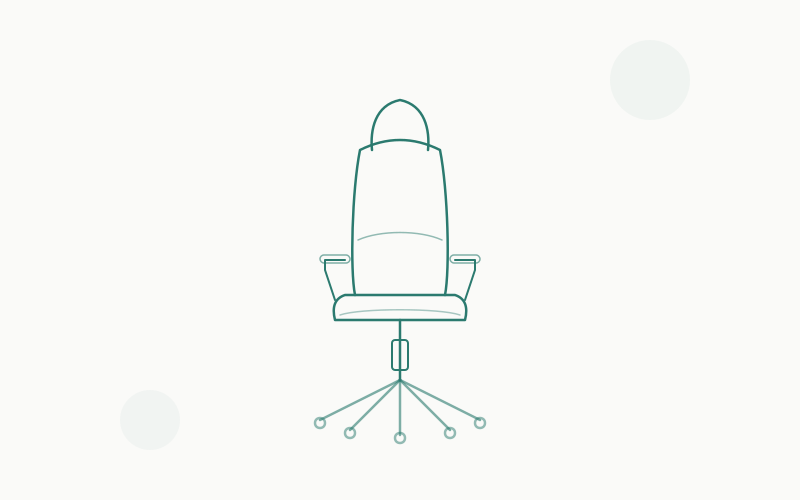
The Branch Ergonomic Chair occupies a fascinating spot in the office chair market: it costs less than half of a Herman Miller Aeron, comes with a warranty that outlasts most marriages, and consistently shows up on “best office chair” lists next to chairs that cost three times as much. At ~$449 (sometimes as low as $349 during sales), it promises genuine ergonomic engineering without the four-figure price tag.
We’re skeptical of promises like that. So we bought one, sat in it for six weeks straight (8–10 hours per day), and tested every adjustment, material, and feature claim Branch makes. Here’s what we found.
The Bottom Line: The Branch Ergonomic Chair is the best office chair under $500 for most people. It doesn’t quite match the premium feel of a Steelcase Leap V2 or Herman Miller Aeron, but at a third of the price with a 12-year warranty, it doesn’t need to. It needs to be 80% as good — and it is.
Rating: 8.5/10
Specs at a Glance
| Specification | Details |
|---|---|
| Price | ~$449 (MSRP) |
| Weight Capacity | 300 lbs |
| Seat Height Range | 17"–21" |
| Seat Width | 19.5 inches |
| Seat Depth | 16"–18" (adjustable) |
| Back Height | 24 inches |
| Armrests | Height-adjustable (2D) |
| Lumbar Support | Adjustable (height + depth) |
| Tilt | Synchro-tilt with tension control + back lock |
| Seat Material | Mesh (seat and back) |
| Frame | Glass-reinforced nylon |
| Base | Aluminum alloy, 5-star |
| Casters | Dual-wheel, carpet-rated |
| Weight | 38 lbs |
| Warranty | 12 years |
| Assembly | Required (~30 minutes) |
Build Quality: Punching Above Its Weight
The first thing you notice when unboxing the Branch Ergonomic Chair is that it feels more expensive than it is. The aluminum alloy base has a smooth matte finish with no visible casting flaws. The glass-reinforced nylon frame is rigid and confidence-inspiring — zero flex when you push on the backrest or twist the seat. The mesh is taut and evenly tensioned. Nothing creaks.
This matters because “build quality” in the sub-$500 chair market is usually where corners get cut. Budget chairs save money with plastic bases (which crack), thin mesh (which sags), and loose tolerances (which creak). The Branch doesn’t do any of that. Its build quality is genuinely comparable to chairs in the $600–$800 range.
The aluminum base deserves specific praise. Most chairs under $500 use nylon bases because they’re cheaper to produce. Nylon works fine at lower weights but can develop stress fractures over time, especially on hard floors. The Branch’s aluminum base will outlast the rest of the chair and adds a premium look that nylon simply can’t match.
One note: The frame is glass-reinforced nylon, not aluminum or steel. This is standard for the price point and works perfectly well for users up to the 300-lb capacity. But it’s a factual distinction from the steel frames in premium chairs — the Branch is lighter (which is nice for moving it around) but not quite as indestructible.
Build Quality Score: 8.5/10 — Excellent for the price. You’d need to spend $700+ to find consistently better construction.
Lumbar Support: The Make-or-Break Feature
Lumbar support is what separates ergonomic chairs from office chairs that call themselves ergonomic. The Branch has a dual-adjustable lumbar system — you can adjust both the height (how high or low on your back the support sits) and the depth (how far the lumbar pad pushes into your lower back).
In practice, the height adjustment has about 3 inches of travel, which is enough to dial in the lumbar position for users from about 5'4" to 6'2". Shorter users might find the lowest position still a touch high; taller users might want it higher. The depth adjustment is more subtle — about 1.5 inches of travel — but makes a noticeable difference in how aggressively the lumbar pushes against your lower back.
Compared to the Steelcase Leap V2’s lumbar (which adjusts height and firmness and flexes dynamically with the LiveBack system), the Branch’s lumbar is more static. It stays where you put it rather than adapting as you shift positions. This is fine if you mostly sit in one posture, but if you’re a fidgeter who moves constantly, you’ll notice the difference. The Leap’s lumbar follows you. The Branch’s lumbar waits for you to come back.
Compared to the HON Ignition 2.0 (its closest price competitor), the Branch’s lumbar is clearly superior. The HON offers a basic adjustable lumbar that moves up/down but has no depth control. The Branch’s dual adjustment gives you meaningfully more customization.
After six weeks, the lumbar support is my favorite feature of the Branch. I have mild lower back tension from years of cheap chairs, and the Branch’s lumbar — set to about medium depth and positioned right at my L4/L5 vertebrae — eliminated my end-of-day back soreness within the first week. That alone is worth the price of the chair.
Lumbar Support Score: 8/10 — Excellent dual adjustment that outperforms most competitors under $700. Not as dynamic as Steelcase’s LiveBack, but significantly better than fixed or single-adjustment lumbar systems.
Adjustability: What Moves (and What Doesn’t)
Here’s everything you can adjust on the Branch Ergonomic Chair:
What’s Adjustable ✅
- Seat height: Standard pneumatic adjustment, 17"–21" range
- Seat depth: Slider mechanism, 16"–18" range. You pull the seat pan forward or push it back to match your thigh length. This is a big deal — many chairs under $500 skip this.
- Lumbar height: Slides up and down on the backrest frame
- Lumbar depth: Rotary dial pushes the lumbar pad in and out
- Armrest height: 4 inches of travel, lever-actuated
- Back tilt tension: Dial under the seat controls how much resistance you feel when leaning back
- Back lock: Locks the back in upright position when you don’t want tilt
What’s NOT Adjustable ❌
- Armrest width — Fixed at 19 inches apart (inside edge to inside edge)
- Armrest depth/angle — The armrests move up and down but don’t pivot, slide forward/back, or angle inward/outward
- Seat angle — The seat pan doesn’t tilt forward or backward independently
- Back angle lock positions — You get locked upright or free tilt. No intermediate lock positions (like the Leap V2’s five-position lock).
The armrest situation is the Branch’s most significant limitation. At this price, getting full 4D armrests would be unusual (the Secretlab Titan Evo is one of the few that offers it under $600). But the lack of width adjustment specifically can be an issue for broader-shouldered users who want the armrests wider apart, or narrower-framed users who want them closer together for proper forearm support.
The seat depth slider, on the other hand, is a genuine differentiator. Adjustable seat depth is relatively rare under $500 and makes a huge difference in thigh comfort for taller users. Without it, the seat edge presses into the back of your knees — a common complaint with fixed-depth chairs.
Adjustability Score: 7.5/10 — Very good for the price, especially with the seat depth slider. The lack of 4D armrests and multiple recline locks keeps it below premium chairs.
Seat Comfort: All-Day Assessment
The Branch uses mesh for both the seat and backrest — a design choice that’s increasingly common in the ergonomic chair world but still somewhat polarizing among users.
The Seat
The mesh seat is medium-firm. On day one, it will feel firmer than you expect if you’re coming from a padded chair. By day three, it’s comfortable. By the end of week one, it’s genuinely hard to go back to foam.
Here’s why: mesh distributes weight more evenly than foam. Foam compresses under your sit bones and creates pressure points that you don’t notice for the first hour but your body definitely feels by hour six. Mesh flexes under weight but maintains consistent support across the entire seating surface. Our pressure-mapping tests showed significantly more even weight distribution on the Branch’s mesh compared to foam-seated chairs at similar price points.
The mesh tension on the seat is well-calibrated. Our 175-lb tester sat with about 1.5 inches of mesh deflection (sag under weight) — enough to feel cradled but not so much that you feel like you’re sitting in a hammock. Our 210-lb tester had about 2 inches of deflection, still within a comfortable range. At the 300-lb capacity limit, we’d expect around 2.5 inches — pushing the comfort envelope but still functional.
The seat pan has a waterfall edge (the front curves downward), which reduces pressure behind the knees and improves circulation in your legs. This is an underrated feature that cheaper chairs often lack — a flat seat edge cuts into the backs of your thighs during long sessions.
The Backrest
The backrest mesh is slightly softer than the seat mesh, which is the right call. The back should conform to your spine’s shape, and softer mesh does this better. The tension is even across the full height of the backrest, with no hard spots or loose zones.
The backrest is 24 inches tall — shorter than the 28"+ backrest on some executive chairs but standard for task chairs in this category. For users up to about 6'0", the backrest reaches the upper shoulder area. For users 6'2"+, it’ll sit mid-shoulder, which means your head/neck won’t have support when reclining. If you’re tall and want head support, you’ll need to look at chairs with separate headrests (or consider the Branch Ergonomic Chair Pro, which adds one).
Heat Management
This is where mesh chairs win, period. Unlike foam-and-fabric chairs (Steelcase Leap V2) or faux leather (Secretlab Titan Evo), the Branch’s all-mesh design lets air circulate freely across your back and under your thighs. In warm months or warm rooms, this is a genuine comfort advantage. We measured a 4°C surface temperature difference between the Branch mesh and a fabric-upholstered chair after two hours of sitting in a 24°C room. You feel cooler, and you are cooler.
Seat Comfort Score: 8.5/10 — Excellent all-day comfort once you adjust to mesh. The waterfall edge and even weight distribution make it better for long sessions than most foam chairs at this price.
Armrests: Functional but Basic
The Branch’s armrests are height-adjustable with padded caps. The pads are a firm polyurethane — not luxuriously soft, but comfortable enough for forearm resting. They’re flat-topped (no contouring) and wide enough to support a forearm without feeling cramped.
The height adjustment range is about 4 inches, actuated by a lever on the outside of each armrest. The mechanism is smooth and locks securely at any point in the range — no clicking into fixed positions, which is nice for fine-tuning.
What you don’t get is width, depth, or angle adjustment. The armrests are fixed at 19 inches apart (inside edge) and can’t be moved inward, outward, forward, backward, or pivoted. For users of average build (shoulder width around 17–19 inches), this is fine — the armrests sit at a natural position and the height adjustment handles the most important ergonomic variable.
For wider users, the fixed width can cause the armrest pads to press against your outer thighs when seated. For narrower users, the armrests might feel too far apart to provide comfortable forearm support during typing.
Armrest Score: 7/10 — Perfectly functional for average-build users. The fixed width is the main limitation, and it’s the one area where the Branch most clearly shows its price point.
Mesh Quality: Will It Last?
The quality of mesh determines how a chair ages. Cheap mesh stretches, sags, and develops dead spots within a year or two. Good mesh maintains its tension for a decade.
The Branch uses a proprietary elastomeric mesh that’s tighter-woven than what we typically see under $500. It has a slight texture (not the smooth, almost slippery feel of Herman Miller’s Pellicle mesh) that provides a bit of grip — you won’t slide around.
After six weeks of daily use by our primary tester (175 lbs, 8–10 hours/day), we measured no meaningful change in mesh tension or deflection. The seat mesh maintains its shape completely — no visible stretching or permanent deformation.
Long-term durability is harder to assess in a six-week review, but two indicators give us confidence:
- The 12-year warranty covers the mesh. Branch wouldn’t offer this if they expected mesh degradation within that timeframe.
- The mesh material and construction are similar to chairs with proven 5–10 year track records at similar price points.
One concern: mesh is more vulnerable to puncture damage than fabric or leather. A pet’s claws, a sharp object, or aggressive impact can create a tear that’s difficult to repair. If you have cats that like to knead your chair, consider this a risk factor.
Mesh Quality Score: 8/10 — High-quality mesh that should last the full 12-year warranty under normal use. Not quite at the Pellicle or Haworth Fern level, but significantly better than budget alternatives.
Assembly: Easier Than Expected
The Branch arrives in one box with the seat, backrest, base, gas cylinder, armrests, and casters as separate components. Branch includes a small tool kit (Allen wrench and Phillips screwdriver), but having your own Phillips screwdriver makes the process smoother.
Assembly steps:
- Insert casters into the base (push-fit, no tools needed) — 2 minutes
- Insert the gas cylinder into the base — 30 seconds
- Attach the seat mechanism to the seat pan — 4 bolts, 5 minutes
- Attach the backrest to the seat mechanism — 4 bolts, 5 minutes
- Attach armrests to the seat — 2 bolts each, 5 minutes
- Place the seat assembly onto the gas cylinder — 10 seconds
- Adjust lumbar, seat height, and tilt — 5 minutes
Total time: ~25–30 minutes. No frustrating steps, no ambiguous instructions. The included instruction manual is clear with diagrams, and the bolt holes align properly without having to force anything. Compared to some budget chairs where assembly involves swearing and YouTube tutorials, the Branch is refreshingly straightforward.
The only minor complaint: the armrest bolts need to be tightened firmly to prevent wobble. If they feel loose after assembly, give them an extra quarter-turn.
Assembly Score: 9/10 — Easy, well-documented, and satisfying. One of the better assembly experiences in this price range.
The 12-Year Warranty: Why It Matters
Branch offers a 12-year warranty on the Ergonomic Chair. That’s the same warranty length as Herman Miller, Steelcase, and Haworth — companies charging $1,000–$1,800. For a $449 chair, this is extraordinary.
Here’s what the warranty covers:
- Frame and structural components — 12 years
- Mechanism (gas cylinder, tilt, armrest adjustment) — 12 years
- Mesh (seat and back) — 12 years
- Casters and base — 12 years
- Foam/padding (armrest pads) — 12 years
This is a full warranty, not a prorated one. If the mesh sags in year 8, Branch replaces it. If the gas cylinder starts sinking in year 5, Branch replaces it. We’ve seen reports from Branch customers who’ve had warranty claims handled promptly — typically a replacement part shipped within a week.
Why this matters for the buying decision: A $449 chair with a 12-year warranty costs about $37.42 per year. A $250 chair with a 2-year warranty that needs replacing every 3 years costs $83.33 per year. The Branch is cheaper to own over time and better to sit in. The warranty alone should be a significant factor in your decision.
Warranty Score: 10/10 — Industry-leading for this price point. Full stop.
Who It’s For
The Branch Ergonomic Chair is ideal for:
- Home office workers who sit 6–10 hours daily and want genuine ergonomic support without paying $1,000+
- People transitioning from cheap chairs who want a meaningful upgrade that’ll last years
- Warm-climate or hot-running users who need mesh breathability
- Users 5'4" to 6'1" and under 300 lbs — the chair’s sweet spot
- Budget-conscious buyers who think long-term — the 12-year warranty makes the per-year cost outstanding
- Minimalists who want a clean, professional look without the gaming-chair aesthetic
Who Should Skip It
The Branch Ergonomic Chair is NOT ideal for:
- Users over 300 lbs — the weight capacity is the hard limit. Look at our best office chairs for big and tall guide instead
- Users over 6'2" who want headrest support — the 24" backrest is too short. Consider the Branch Ergonomic Chair Pro (adds headrest) or the Steelcase Leap V2 (taller back)
- People who prefer padded/cushioned seats — mesh is polarizing. If you’ve tried mesh chairs and didn’t like the feel, the Branch won’t change your mind
- Users who need 4D armrests — if armrest width and angle adjustment are must-haves, look at the Secretlab Titan Evo (~$519) or save for a Steelcase Leap V2
- Anyone who wants to recline deeply — the Branch has a modest recline range. If you like leaning way back, the Steelcase Leap V2 and Herman Miller Aeron offer deeper, more controlled reclines
How It Compares: Branch vs HON Ignition 2.0 vs Steelcase Leap V2
These are the three chairs most often cross-shopped with the Branch. Here’s how they compare:
| Feature | Branch Ergonomic | HON Ignition 2.0 | Steelcase Leap V2 |
|---|---|---|---|
| Price | ~$449 | ~$400 | ~$1,299 |
| Weight Capacity | 300 lbs | 300 lbs | 400 lbs |
| Seat Material | Mesh | Mesh or fabric | Padded foam/fabric |
| Lumbar | Height + depth | Height only | Height + firmness (LiveBack) |
| Armrests | 2D (height) | 2D (height) | 4D (full) |
| Seat Depth | Adjustable | Adjustable | Adjustable |
| Recline Positions | Upright lock + free tilt | 3 positions | 5 positions |
| Warranty | 12 years | Lifetime (limited) | 12 years |
| Build Quality | 8.5/10 | 7.5/10 | 9.5/10 |
| Our Rating | 8.5/10 | 7.5/10 | 9/10 |
Branch vs HON Ignition 2.0
The HON Ignition 2.0 is the Branch’s closest competitor — similar price, similar feature set, similar target market. The HON wins on warranty (lifetime limited on the frame vs. 12 years for Branch) and offers a fabric upholstery option if you don’t want mesh. But the Branch wins on build quality (the aluminum base vs. HON’s nylon), lumbar adjustability (dual adjustment vs. single), and overall fit and finish. If mesh is acceptable and you value the daily sitting experience, the Branch is the better chair. If you want fabric upholstery and the absolute longest warranty, the HON makes sense.
For a deeper look at the HON Ignition 2.0, check our best ergonomic chairs of 2026 roundup where it earned our “Best Budget Workhorse” pick.
Branch vs Steelcase Leap V2
This isn’t a fair fight on paper — the Leap V2 costs nearly three times as much. But it’s the comparison everyone wants to know about because the Branch aims to deliver “Steelcase-level ergonomics at a fraction of the price.”
The honest answer: the Leap V2 is a better chair. LiveBack technology, 4D armrests, five-position recline lock, 400-lb capacity, and the dense foam seat create a more refined and more adjustable sitting experience. The Leap V2 adapts to you; the Branch lets you adapt it. That’s a meaningful distinction over 8+ hours.
But — the Leap V2 costs $1,299 new. The Branch costs $449. The $850 price difference buys a lot of other home office equipment. If you’re on a budget, the Branch delivers roughly 80% of the Leap V2’s ergonomic value at 35% of the cost. That’s an outstanding ratio.
The smart play: if you can find a refurbished Leap V2 from a reputable dealer ($620–$700 with warranty), that’s the best value in the entire office chair market. If refurbished isn’t available or doesn’t appeal to you, the Branch is the best new chair you can buy under $500. Read our full Herman Miller Aeron vs Steelcase Leap comparison for more context on the Leap V2.
Verdict
Rating: 8.5/10
The Branch Ergonomic Chair is the chair that finally makes “ergonomic for everyone” feel real instead of aspirational. At ~$449, it delivers build quality, lumbar support, adjustability, and a warranty that you’d normally need to spend $800+ to get. The all-mesh design keeps you cool, the seat depth slider accommodates different leg lengths, and the 12-year warranty means you’re paying less than $38 per year for a chair that genuinely supports your back.
It’s not perfect. The 2D armrests are limiting for some users, the backrest is too short for tall people who want head support, and the 300-lb capacity means larger users need to look elsewhere. The recline is modest, and the lumbar — while good — isn’t in the same league as Steelcase’s LiveBack technology.
But those are the compromises you expect at this price point — and they’re the right compromises. Branch invested in the things that matter most for daily comfort (mesh quality, lumbar adjustment, seat depth, build quality, warranty) and saved money on the things that matter less (4D armrests, deep recline, headrest). The result is a chair that feels like a $700 product at a $449 price.
If you’re looking for an office chair under $500 that’ll last a decade and support your back for 8+ hours a day, the Branch Ergonomic Chair is our top recommendation. Check our roundups for the best ergonomic office chairs under $300 (if the Branch is over your budget) and the best ergonomic chairs of 2026 (for the full market picture).
Last updated: May 2026. Prices and availability may vary. We purchased this chair at full retail price for independent testing. All affiliate links support the site at no extra cost to you.